
QUEUE MANAGEMENT

Grow Your Business with ONEST QMS

A queue management system (QMS) represents a pivotal solution for businesses across various sectors aiming to streamline customer flow and optimize operational efficiency.

OnestQ - Queue Management System
Software list

Queue Solution

SOLUTION WAY

Different Queue Management Solution

Token Counter Queue

Token Counter Queue

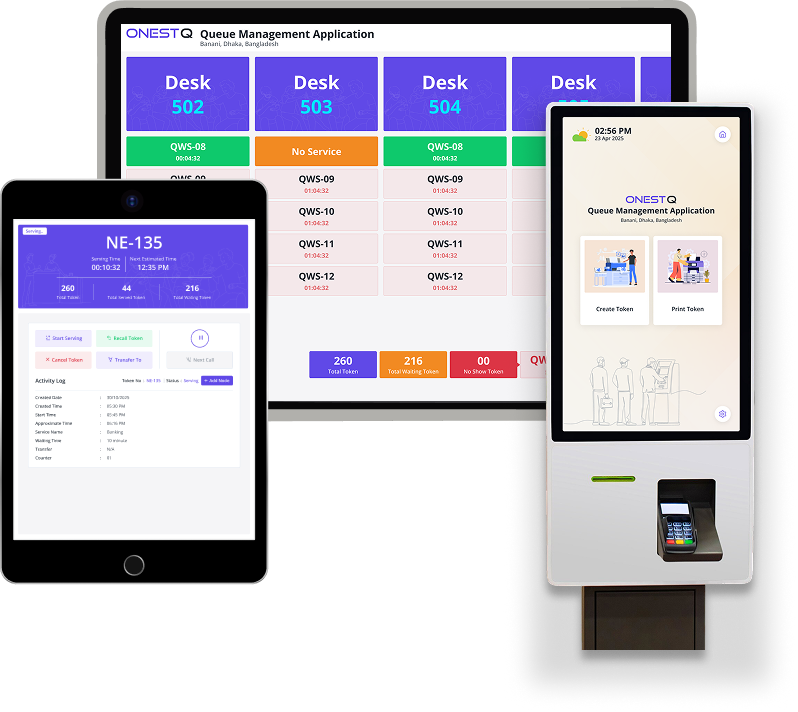
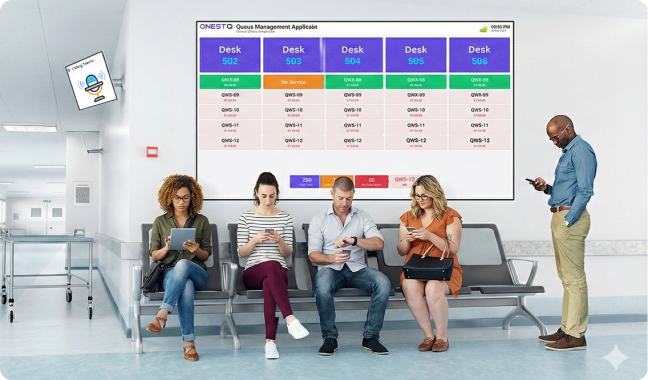
A token counter queue is the classic and most widely used queue management solution for walk-in service environments. Customers receive a token number from a kiosk, reception, or mobile intake and then wait until their number is called at an available counter. This model works extremely well for banks, hospitals, government offices, and customer care centers where fairness and order matter. The biggest strength of this solution is simplicity: customers immediately understand the process, staff can manage the flow without confusion, and displays can broadcast the current token and the serving counter in real time. It also reduces crowding because customers can sit comfortably instead of standing in long physical lines. For operations, it provides consistent service flow, reduces disputes about “who is next,” and enables features like recall, skip, or redirect tokens to different counters. When paired with a dashboard, management can monitor waiting times, peak hours, and counter performance to improve staffing and service design. This solution is best when the majority of customers are walk-ins, service times vary, and you want a reliable and low-friction system that scales across multiple counters.
Service-Based Routing Queue

Service-Based Routing Queue

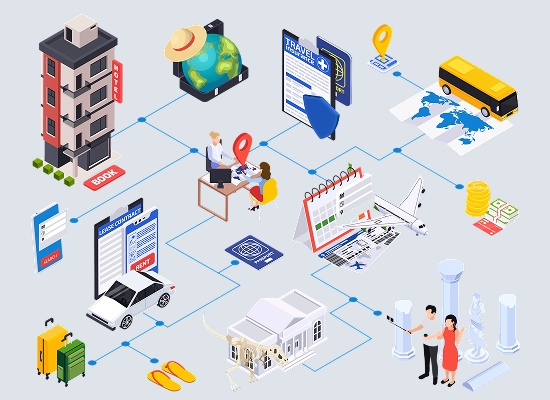
Service-based routing is a queue management solution that organizes customers by service type instead of a single general line. When customers arrive, they select a service category (for example: Account Opening, Cash Deposit, Support, Consultation, or VIP). The system generates a token linked to that service and routes the customer to the correct counter group or operator specialization. This approach improves both speed and accuracy because customers reach the right staff faster, reducing transfers and repeated explanations. It also helps managers balance workloads: if one service becomes overloaded, they can open additional counters for that category or reassign staff dynamically. Service-based routing is ideal for organizations that offer multiple services with different processing steps, documents, or expertise requirements. It creates a professional customer journey because customers feel guided rather than lost. Over time, it generates valuable analytics per service category, allowing you to identify which services create the longest waits and where training or process changes will deliver the highest impact. This solution is best when service variety is high and operational efficiency depends on matching customers to the right specialists.

Virtual / Mobile Queue

Virtual / Mobile Queue

A virtual or mobile queue solution allows customers to join the queue remotely and wait without being physically present in a crowded area. Customers can take a token from a mobile interface or QR entry point and receive updates about their position in the queue. When their turn approaches, they are notified so they can return to the service location at the right time. This model significantly improves comfort and reduces congestion, making it ideal for high-traffic environments and locations with limited waiting space. Virtual queues also help organizations maintain a calmer and more modern service experience, especially for younger, mobile-first audiences. From an operational perspective, virtual queues reduce complaints because customers don’t feel trapped in a long line; they can use their time more productively while still maintaining their place fairly. The solution also supports health and safety goals by reducing dense waiting areas. When combined with display screens at the location, counters can still call tokens normally, while the system ensures remote customers stay informed. This solution is best when customer volume is high, waiting areas are constrained, and you want to deliver a modern, flexible experience without sacrificing queue discipline.

Key Features

Features of Queue Management System

Smart Routing

Smart Routing

Automatically routes tokens to best counter based on service and load.

Multi Counter

Multi Counter

Manage multiple counters simultaneously with flexible staff assignment and control.

Live Display

Live Display

Real-time token calling shown on screens with counter number and alerts.

Kiosk Mode

Kiosk Mode

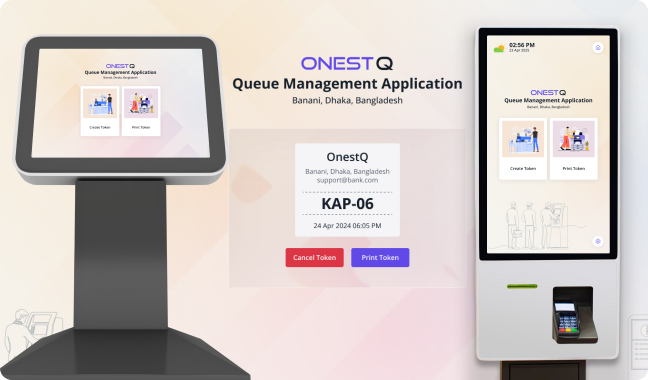
Self-service token generation with fullscreen interface and service selection options.

Dashboard Stats

Dashboard Stats

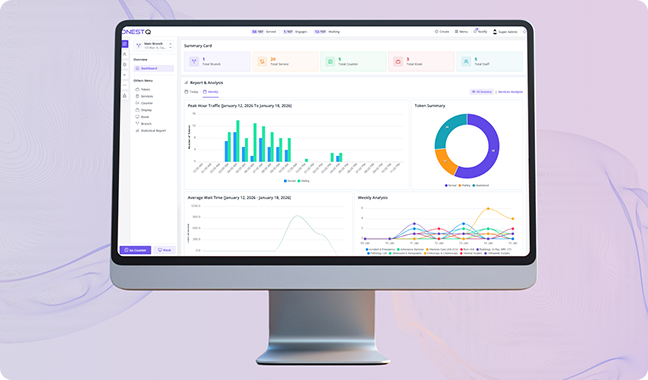
Live performance metrics for waiting, served, cancelled, and counter efficiency.

Recall Token

Recall Token

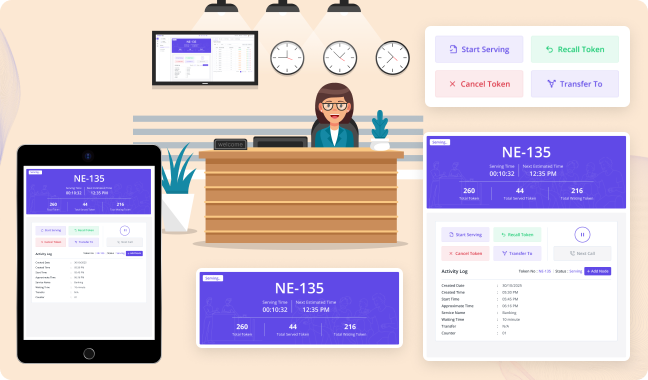
Instantly recall last called token for missed customers or repeated announcements.

Priority Queue

Priority Queue

Support VIP, elderly, emergency, or staff defined priority handling within queue.

Service Categories

Service Categories

Group services to organize queues and direct customers to right counters easily.

Branch Control

Branch Control

Manage multiple branches with independent settings, counters, services, and displays.

Sound Alerts

Sound Alerts

Audio announcements with configurable voice, tone, and language per display.

Reports Export

Reports Export

Export daily, weekly, monthly reports for audits, analysis, and management review.

Role Permissions

Role Permissions

Fine-grained access control for admins, managers, operators, and kiosk users.

Why Us

Queue Management Benefits

01

Faster Service

Queue management reduces waiting confusion by creating a clear, organized flow from arrival to service. Instead of customers forming irregular lines or repeatedly asking for updates, tokens and service stages make the process predictable and fair. Staff can immediately see who is next, which counter is available, and which service should be handled first. This structure improves counter utilization, minimizes idle time, and prevents bottlenecks caused by manual coordination. When customers are served in the right order with the right routing, the overall throughput increases without adding extra staff. Over time, this leads to shorter average wait times, more completed visits per day, and a smoother experience across peak hours. It also improves service consistency because the process becomes system-driven rather than dependent on individual judgment, helping teams maintain speed even when workload spikes.

02

2.Better Customer Experience

A modern queue system improves customer satisfaction by replacing uncertainty with transparency. Customers know they are in the system, they can see token progress on a display, and they understand where to go when called. This lowers anxiety and reduces frustration, especially in busy environments like banks, clinics, government offices, and service centers. When people feel the system is fair and visible, complaints drop significantly. Queue management also supports more comfortable waiting: customers can wait seated, keep distance, or move to a less crowded area while still holding their place. If you use displays and announcements, it becomes easy for customers to follow calls without constantly asking staff. The result is a calmer environment, fewer arguments about “who was next,” and a more professional brand impression that customers remember positively.

03

Smarter Workflow

Queue management helps teams work smarter by matching requests to the right counters and operators. With service-based routing, customers are directed to the correct counter based on the selected service type, which reduces misdirection and repeat visits to reception. Operators can focus on their assigned services, improving accuracy and speed. The system also enables consistent handling of exceptions, such as recalls, missed tokens, priority queues, or service transfers, without breaking the overall flow. Supervisors can balance workloads by opening additional counters or shifting services when queues build up. Over time, the organization develops a reliable operating rhythm: staff know what to do, customers know what to expect, and management can refine processes based on data instead of guesses. This reduces stress for employees and improves productivity because work is guided by the system, not constant manual coordination.

04

Real-Time Visibility

Queue management provides real-time visibility into what is happening across counters, services, and locations. Managers can quickly see how many customers are waiting, how many have been served, which counters are active, and where delays are forming. This immediate insight enables faster decision-making: adding staff during spikes, opening temporary counters, or adjusting service assignments before problems become large. Displays and dashboards keep operations transparent and aligned, so teams spend less time chasing updates and more time serving customers. Real-time monitoring also helps with accountability; when performance is visible, it becomes easier to identify training needs, process gaps, or recurring service issues. This visibility is especially valuable for multi-branch operations because it allows consistent oversight without physically being on-site. The end result is better control, fewer surprises, and a more stable daily operation.

05

Data-Driven Improvement

A queue management system turns daily service activity into usable metrics. Instead of relying on anecdotal feedback, you can measure average waiting time, service time per counter, peak traffic hours, no-show rates, and service demand by category. These insights help you plan staffing, improve scheduling, and redesign workflows for maximum impact. For example, if one service consistently creates long waits, you can allocate more counters to it, adjust service steps, or introduce pre-checks to shorten processing time. Data also supports fair performance evaluation and targeted coaching because results are based on measurable outcomes rather than opinions. Over time, continuous tracking helps you spot trends and confirm whether operational changes actually work. This creates a cycle of improvement where each decision is backed by evidence, leading to steady gains in efficiency, customer satisfaction, and resource utilization.

06

Lower Operational Cost

Queue management reduces operational cost by cutting waste in time, effort, and space. When queues are unmanaged, staff spend significant time answering the same questions, managing disputes, and manually directing customers. A structured system eliminates much of that overhead by automating ordering, routing, and announcements. Better throughput means you can serve more customers with the same number of staff, or maintain service levels with fewer overtime hours. It also reduces costly errors caused by misrouting and repeated handling. In many environments, a calmer waiting area reduces security and crowd-control needs, while improving safety and comfort. Additionally, because the system captures performance data, organizations can optimize staffing and hours more precisely instead of overstaffing “just in case.” The combined effect is a measurable reduction in operational friction, better use of resources, and a stronger return on investment from your service setup.

Customer FAq's

Frequently Asked Questions

Add a counter from the Counter module, then assign one or more services/queues to it. Make sure the counter is active and linked to the correct branch/location so tokens route properly.

When an operator calls the next token from a counter, the system updates the token status and immediately pushes the call to the Display screen(s) mapped to that counter/branch, including token number and counter number.

Confirm the Display page is set to the correct branch/location and is connected to the network. Then refresh the Display page and verify the backend real-time service/configuration (broadcast/socket/polling) is running as expected.

Open the Kiosk module on a dedicated device, select the branch/location, and configure which services are available for customers to choose. Enable auto-fullscreen and restrict navigation for a stable public setup.

Yes. Create separate Display configurations per area (e.g., Floor 1, VIP, Pharmacy) and map each to specific counters/services so each screen only shows relevant calls.

Dashboard widgets are driven by your operational data (tokens issued, served, waiting, average waiting time, counter performance). Configure the date range/branch filters and ensure counters and services are properly categorized.

Skips can happen due to cancellations, resets, service-specific sequences, or multi-branch configurations. Check token settings (prefix/format), branch scope, and whether tokens are generated per service or globally.

Use the recall/repeat call option from the Counter module to announce the same token again. If the customer doesn’t respond, mark it as missed/no-show based on your workflow, then proceed to the next token.

Must Have

Hardware Requirements

Touch Screen Kiosk

Touch Screen Kiosk

Touch screen kiosks for walk in customs.

Android TV

Android TV

TV for display screen in wating areas

Computer

Computer

Optional hardware for display screen configuration

Printer

Printer

Optional printers for token printing, preferably printers