
Counter Management for Staff Panel

The Counter Panel is the operator workspace for serving tokens efficiently. Staff can call the next token, announce it, start/complete service, manage hold/no-show cases, and transfer customers to the right service—all from one dashboard.

Counter – Staff Panel
VIDEO CONTENT

Counter Panel Video Solution

A focused operator dashboard for calling and serving tokens with clear statuses (Calling, Running, Hold), timers, and actions like recall, no-show, and transfer—helping counters work faster with fewer mistakes. - Show operator opening Counter Dashboard and selecting a counter. Click **Next Call** → token appears with “Calling..” status. Click **Start Serving** → status changes to “Running” and timer starts. Use Recall Token once (optional) to re-announce. Demonstrate **Hold/Pause** briefly, then resume. Click **Complete** to finish service; token moves to served list. Show **Transfer To** (for serving tokens) to route a customer to another service.

BENEFIT

Benefit the Most of Counter – Staff Panel?

The Counter Panel improves day-to-day counter performance by reducing manual steps, guiding operators with clear statuses and timers, and providing built-in tools for common queue exceptions. This helps teams serve more customers per hour while keeping queue data accurate and consistent across shifts.
  • Faster serving: fewer clicks to call/serve/complete tokens
  • Fewer errors: clear statuses (Calling/Running/Hold/No Show) reduce confusion
  • Better accountability: service time + logs/notes per token
  • Smoother handoffs: transfer customers to the right service without restarting the process
  • Improved customer flow: consistent calling and handling of no-show cases
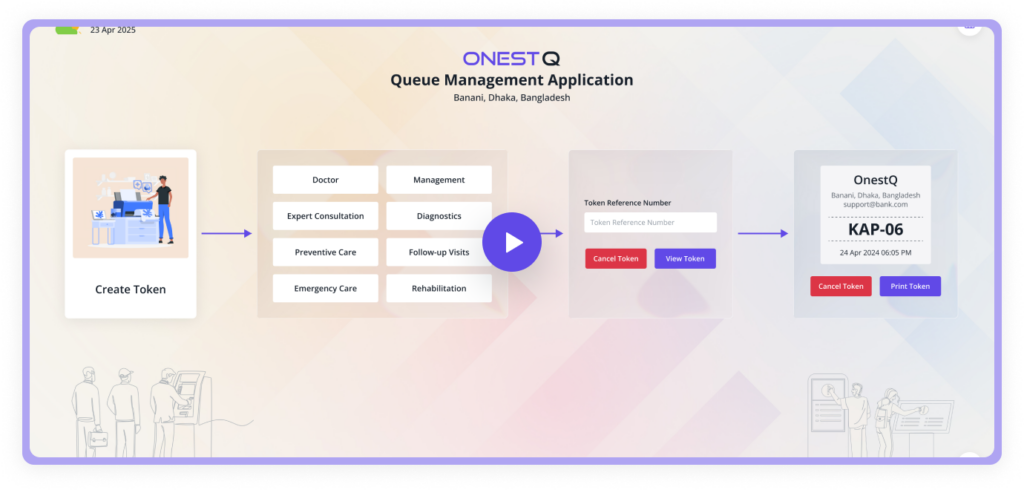
Counter – Staff Panel Benefits
WORK SYSTEM

How does Counter – Staff Panel Work?

How Counter – Staff Panel Works
A queue management system (QMS) represents a pivotal solution for businesses across various sectors aiming to streamline customer flow and optimize operational efficiency. By seamlessly orchestrating the journey from customer arrival to service delivery, a QMS offers a sophisticated yet user-friendly approach to managing queues.

Typical flow

  • Open Counter Dashboard
  • Call next token
  • Start serving
  • Handle exceptions (Recall / Hold / No Show)
  • Complete service

Operator tools you’ll use most

  • Status indicators (Calling / Running / Hold)
  • Timers (serving time + next estimated time)
  • Token tables (waiting / called / served / hold / no-show)
  • Transfer to another service
  • Notes & activity log