Queue Display for Public Screen

Modern queue management for busy service points. Issue tokens, organize customer flow, and keep everyone informed with a clear public display—reducing wait-time frustration and improving staff efficiency.

Display – Public Screen
FEATURES

Display – Public Screen Features

This queue management system helps organizations replace chaotic, manual lines with a structured, transparent flow. Customers receive a token (via kiosk or staff), wait comfortably, and follow clear updates on a public screen—while operators handle calling, serving, and exceptions from dedicated panels. The result is a smoother experience for customers and a faster, more predictable workflow for staff.

The system is built around real-time status changes (Waiting → Calling → Serving → Completed) so the public display and operator screens stay in sync. Service-wise queues allow different departments (e.g., Billing vs Support) to run independently, and optional announcements reduce confusion in busy areas. With reporting and performance insights, teams can understand demand patterns, reduce bottlenecks, and improve service quality over time.

  • – Token generation for walk-ins (kiosk/manual)
  • – Multi-counter support with role-based access
  • – Real-time queue calling and status updates
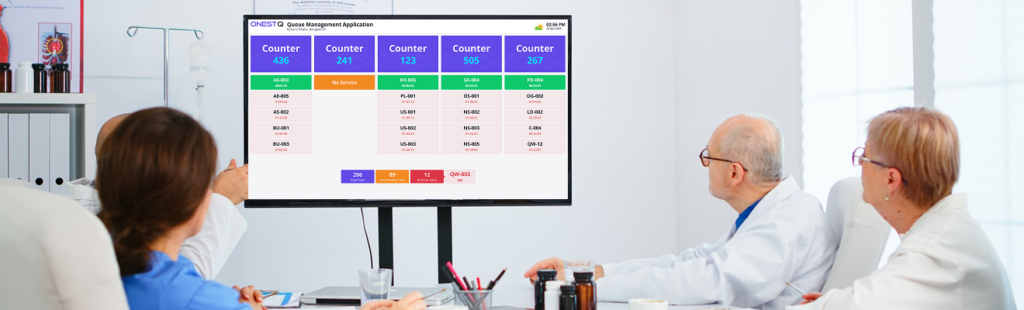
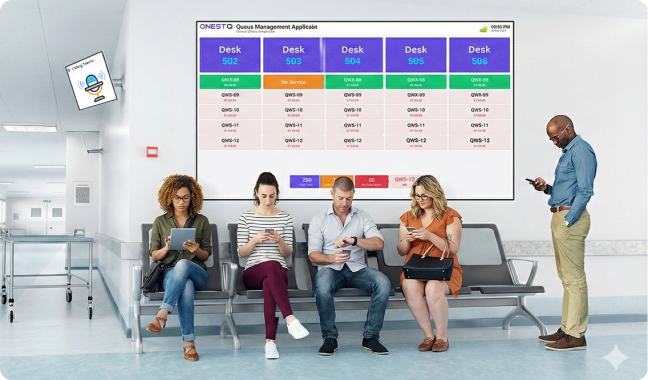
  • – Public display screen (now serving / next up)
  • – Customer announcements (voice/video-ready)
  • – Service-wise queue separation (e.g., Billing, Support, Pickup)
  • – Reporting & insights (peak hours, avg. wait time, served count)
  • – Responsive UI for desktops, tablets, and TVs
VIDEO CONTENT

Public Display Screen (TV Mode)

A clean, high-contrast screen for TVs/monitors that shows “Now Serving”, “Next”, counter numbers, and optional announcements—so customers always know what’s happening without asking staff. Welcome—take a token and wait for your number.”how token being issued. Show staff calling the next token at a counter. Show public display updating instantly (Now Serving + counter). Close: “Stay seated. Watch the screen. We’ll call you next.”

BENEFIT

Benefit the Most of Display – Public Screen?

Benefit the Most of a Queue Management System?
  • -Faster service flow: smoother handoff between counters and customers
  • Virtual queuing via smartphone with Mobile Tickets
  • Virtual waiting rooms
  • Customized apps for staff to see arrival announcements, call-ups, and serve customers
  • Reduced crowding:customers can wait comfortably while staying informed
  • Fewer repeated questions: “Who’s next?” drops significantly
  • Better customer experience: transparent queue order and clear communication
  • ctionable insights: understand peak load, optimize staffing, track performance
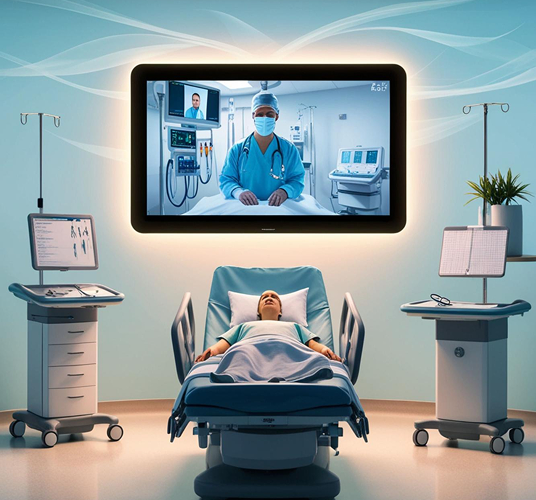
Display – Public Screen Benefits
WORK SYSTEM

How does Display – Public Screen Work?

How Display – Public Screen Works
A queue management system (QMS) represents a pivotal solution for businesses across various sectors aiming to streamline customer flow and optimize operational efficiency. By seamlessly orchestrating the journey from customer arrival to service delivery, a QMS offers a sophisticated yet user-friendly approach to managing queues.

Customer takes a token

  • -iosk/self-service or staff issues token
  • Token can be tied to a service type (optional)

Customer waits

  • Public screen shows “Now Serving” and “Next”
  • ptional audio/announcement prompts

staff calls next

  • Counter operator calls the next token
  • System updates queue status in real time

What you can configure

  • Counters & operators: assign staff to counters, set permissions
  • Services:separate queues by service category
  • Display layout: branding, colors, scrolling messages, and screen rotation
  • Announcements: enable/disable audio cues and on-screen prompts
  • Rules: priority tokens, skipped tokens, recall, and transfer (if enabled)